The password for the next level is stored in the file data.txt in one of the few human-readable strings, preceded by several = characters.
Here are the details which we have from the previous level:
- Host:
bandit.labs.overthewire.org - Port:
2220 - Username:
bandit9 - Password:
4CKMh1JI91bUIZZPXDqGanal4xvAg0JM
So, The SSH syntax will be:
sshpass -p 4CKMh1JI91bUIZZPXDqGanal4xvAg0JM ssh [email protected] -p 2220
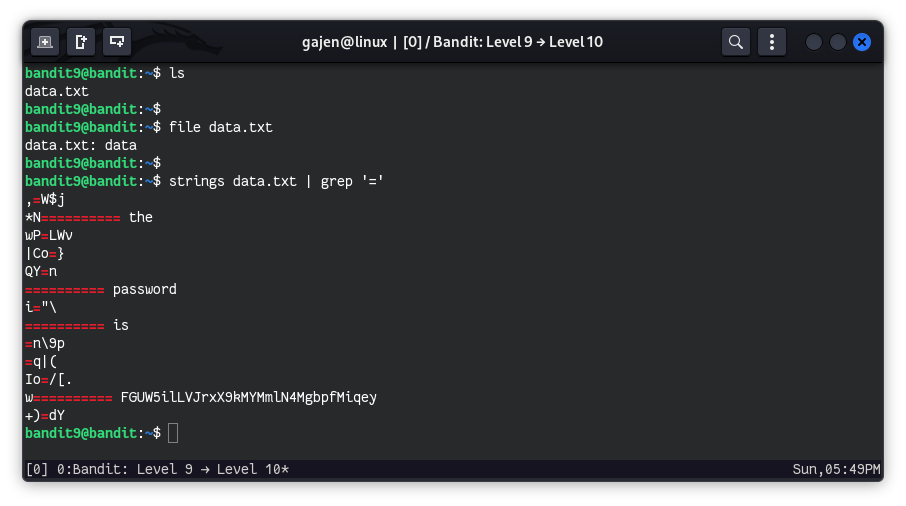
As we know from the hint, the password for the next level is stored in the data.txt file in one of the few human-readable strings, preceded by several = characters. So, We can easily retrieve it using the grep command, but since data.txt is not in ASCII text, we need to use the strings command to extract only those characters that fall within the ASCII character set:
View the contents of
data.txt:ls data.txtDetermine the file type of
data.txt:file data.txt data.txt: dataThe
filecommand indicates thatdata.txtcontains generic data.Search for human-readable strings preceded by ‘=’:
strings data.txt | grep '='