The password for the next level is stored in the only human-readable file in the inhere directory. Tip: if your terminal is messed up, try the “reset” command.
Here are the details which we have from the previous level:
- Host:
bandit.labs.overthewire.org - Port:
2220 - Username:
bandit4 - Password:
2WmrDFRmJIq3IPxneAaMGhap0pFhF3NJ
So, The SSH syntax will be:
sshpass -p 2WmrDFRmJIq3IPxneAaMGhap0pFhF3NJ ssh [email protected] -p 2220
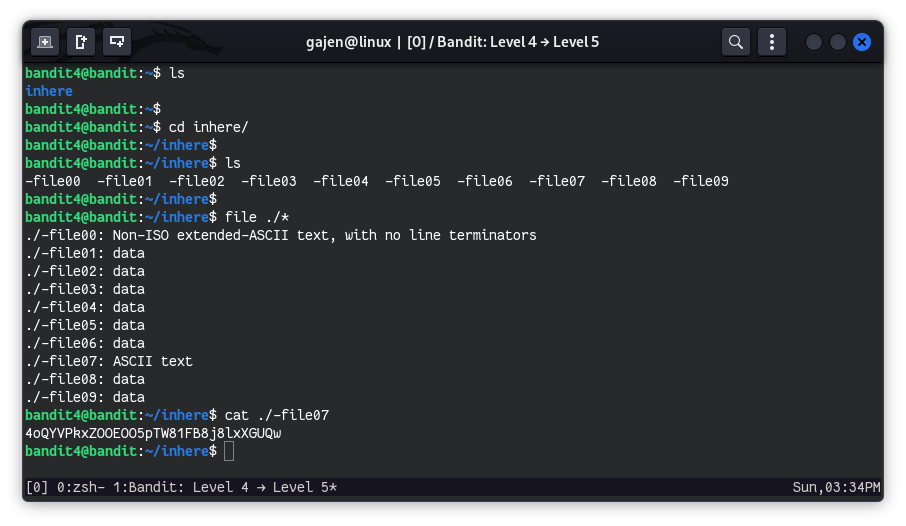
As we know, the next level’s password file is located in the inhere directory and is in a human-readable format, meaning it falls under the ASCII character set. We can find it using the file command.
First, let’s change directory into the inhere directory:
cd inhere/
Next, use the file command to identify the human-readable file:
file ./*
Among the output, ./-file07 is identified as an ASCII text file, which mean it is human-readable and likely contains our password.
To view the contents of ./-file07, use the cat command:
cat ./-file07