

There is a git repository at ssh://bandit29-git@localhost/home/bandit29-git/repo via the port 2220. The password for the user bandit29-git is the same as for the user bandit29.
Here are the details which we have from the previous level:
- Host:
bandit.labs.overthewire.org - Port:
2220 - Username:
bandit29 - Password:
4pT1t5DENaYuqnqvadYs1oE4QLCdjmJ7
This level is similar like the previous level, we are again dealing with a git repository located at ssh://bandit29-git@localhost/home/bandit29-git/repo via port 2220. The password for the user bandit29-git is the same as for the user bandit29. Let’s construct the command to clone the repository to our system.
The repository is hosted on the localhost of the server, So the server address for us will be bandit.labs.overthewire.org instead of localhost in our command.
git clone ssh://[email protected]:2220/home/bandit29-git/repo
This will prompt for the password because the repository is password-protected. We need to enter the password of bandit29 because The password for the user bandit29-git is the same as bandit29.
Exploring the Repository
After cloning the repository, navigate into it and list its contents.
cd repo
ls -a
# Output:
# .git  README.md
Checking the README.md File
Read the README.md file to see if it contains the password.
cat README.md
# Output:
# # Bandit Notes
# Some notes for bandit30 of bandit.
#
# ## credentials
#
# - username: bandit30
# - password: <no passwords in production!>
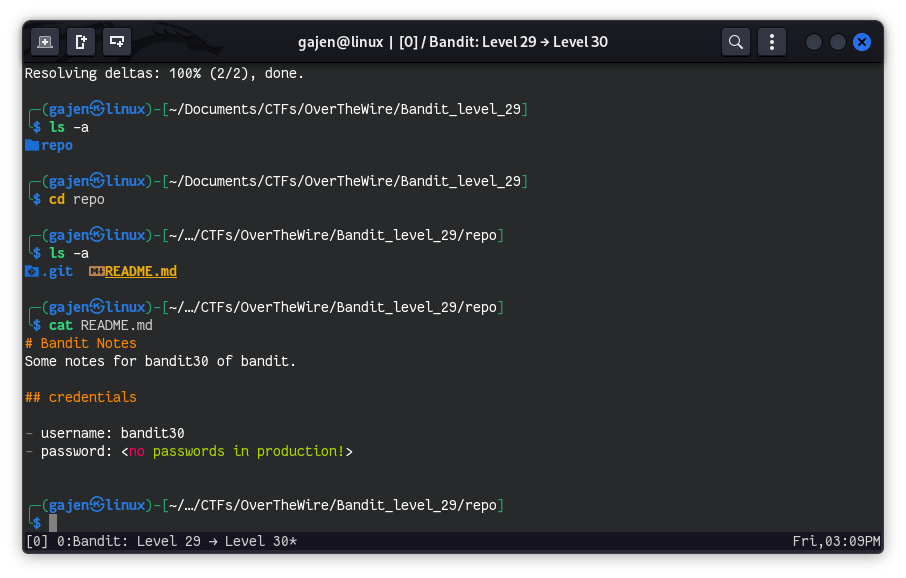
The password is not present in the README.md file, which kinda seems we are on wrong path. But, if we refer to the Git documentation, Git allows us to create different workspaces commonly referred to as branches. These branches are essentially separate workspaces for our project, representing different versions such as alpha, beta, dev, stable, and so on. Let’s check how many branches are present in the current repository.
Checking Branches
List all the branches in the repository.
git branch -a
# Output:
# * master
#  remotes/origin/HEAD -> origin/master
#  remotes/origin/dev
#  remotes/origin/master
#  remotes/origin/sploits-dev
There are three branches: master, dev, and sploits-dev. The asterisk (*) indicates that we are currently on the master branch, which is generally considered the main branch. Let’s explore the dev branch to see if there is any useful information there.
Exploring the dev Branch
First, switch to the dev branch. You can use git checkout to switch branches.
git checkout dev
# Output:
# Branch 'dev' set up to track remote branch 'dev' from 'origin'.
# Switched to a new branch 'dev'
After switching, list the contents of the repository again.
ls -a
# Output:
# .git  code  README.md
There is a new directory code in the dev branch. Now, check the README.md file on this branch.
cat README.md
# Output:
# # Bandit Notes
# Some notes for bandit30 of bandit.
#
# ## credentials
#
# - username: bandit30
# - password: qp30ex3VLz5MDG1n91YowTv4Q8l7CDZL
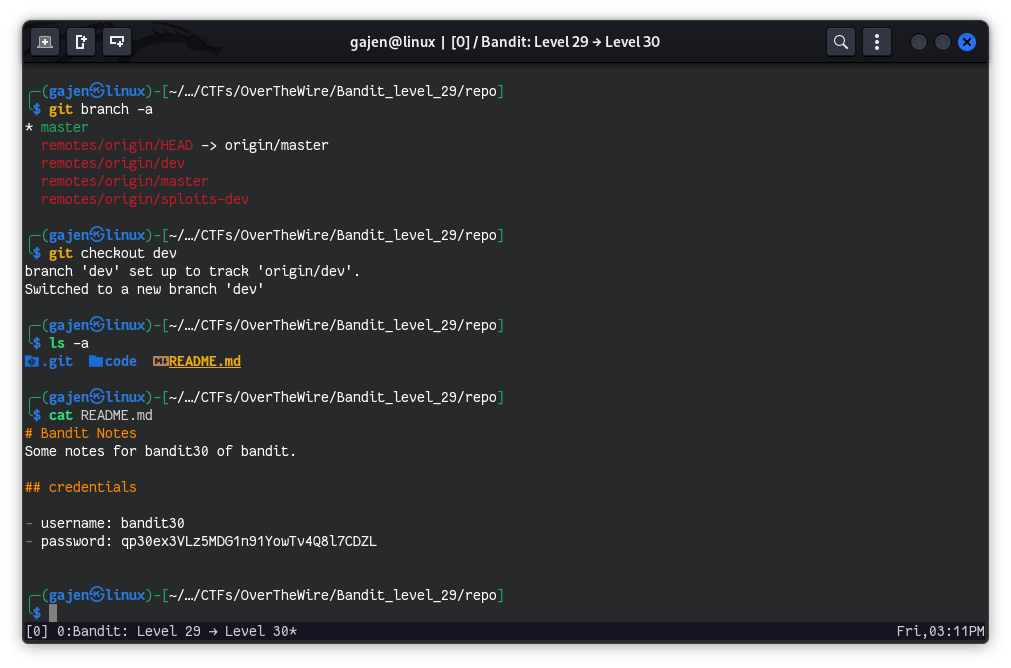
The password for the next level bandit30 is found in the README.md file on the dev branch. The password is qp30ex3VLz5MDG1n91YowTv4Q8l7CDZL.