

There is a git repository at ssh://bandit27-git@localhost/home/bandit27-git/repo via the port 2220. The password for the user bandit27-git is the same as for the user bandit27. Clone the repository and find the password for the next level.
Here are the details which we have from the previous level:
- Host:
bandit.labs.overthewire.org - Port:
2220 - Username:
bandit27 - Password:
upsNCc7vzaRDx6oZC6GiR6ERwe1MowGB
In this level, we need to work with a git repository located at ssh://bandit27-git@localhost/home/bandit27-git/repo via port 2220. The password for the user bandit27-git is the same as for the user bandit27. Let’s construct the command to clone the repository to our system.
Since, we are dealing with Git, let’s understand what is Git first!, it is a distributed version control system (DVCS) designed to handle everything from small to very large projects with speed and efficiency. It is widely used for software development and other version control tasks. Git tracks changes to files, allowing multiple people to collaborate on the same project, and provides powerful tools for branching, merging, and rewriting project history.
The repository is hosted on the localhost of the server, So the server address for us will be bandit.labs.overthewire.org instead of localhost in our command.
git clone ssh://[email protected]:2220/home/bandit27-git/repo
This will prompt for the password because the repository is password-protected. We need to enter the password of bandit27 because The password for the user bandit27-git is the same as bandit27.
ls -a
# Output:
# repo
Navigate into the cloned repository:
cd repo
ls -a
# Output:
# .git  README
cat README
# Output:
# The password to the next level is: Yz9IpL0sBcCeuG7m9uQFt8ZNpS4HZRcN
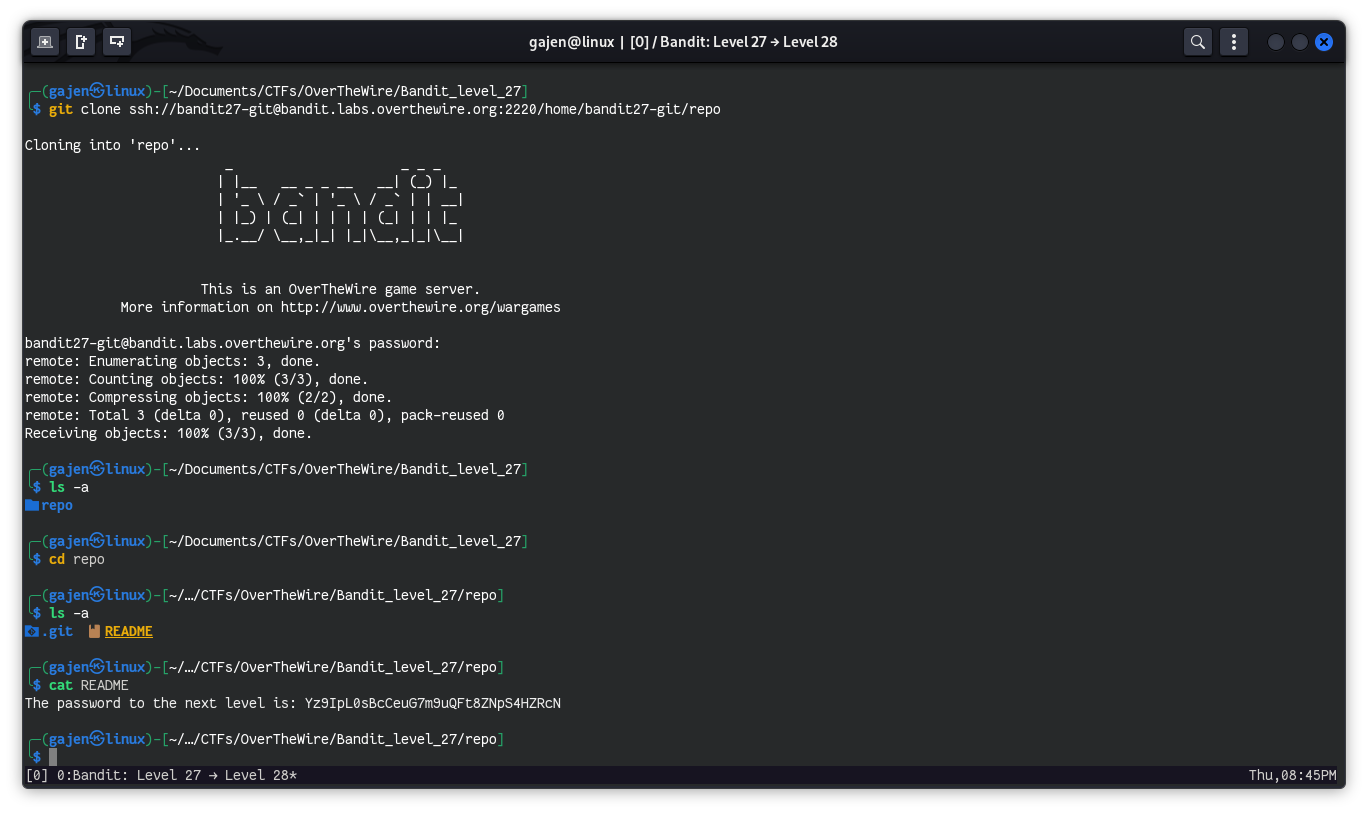
Wow, this was simple! The password for the next level is right there in the README file.