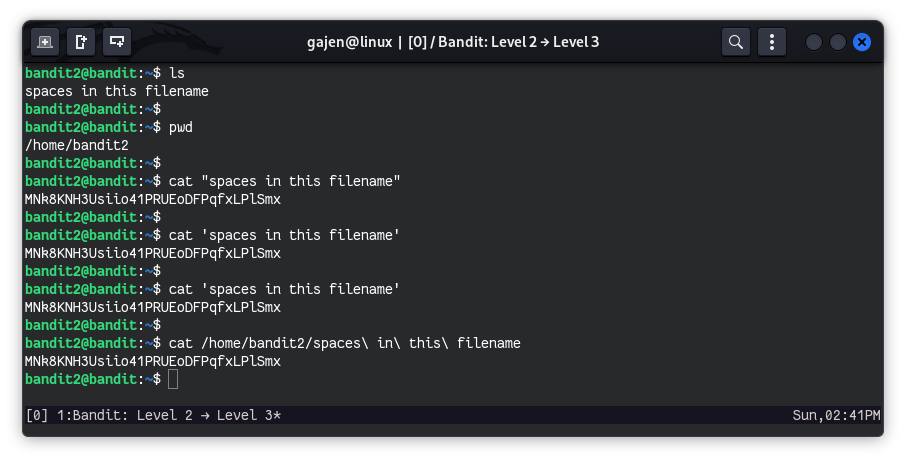
The password for the next level is stored in a file called spaces in this filename located in the home directory.
Here are the details which we have from the previous level:
- Host:
bandit.labs.overthewire.org - Port:
2220 - Username:
bandit2 - Password:
263JGJPfgU6LtdEvgfWU1XP5yac29mFx
So, The SSH syntax will be:
sshpass -p 263JGJPfgU6LtdEvgfWU1XP5yac29mFx ssh [email protected] -p 2220
In Bash, filenames with spaces are treated as different files. If a filename contains spaces and we want to access its contents, here are some ways to achieve this:
Using quotes (
"):cat "spaces in this filename"Using single quotes (
'):cat 'spaces in this filename'Using backslash (
\) to escape spaces:cat spaces\ in\ this\ filename